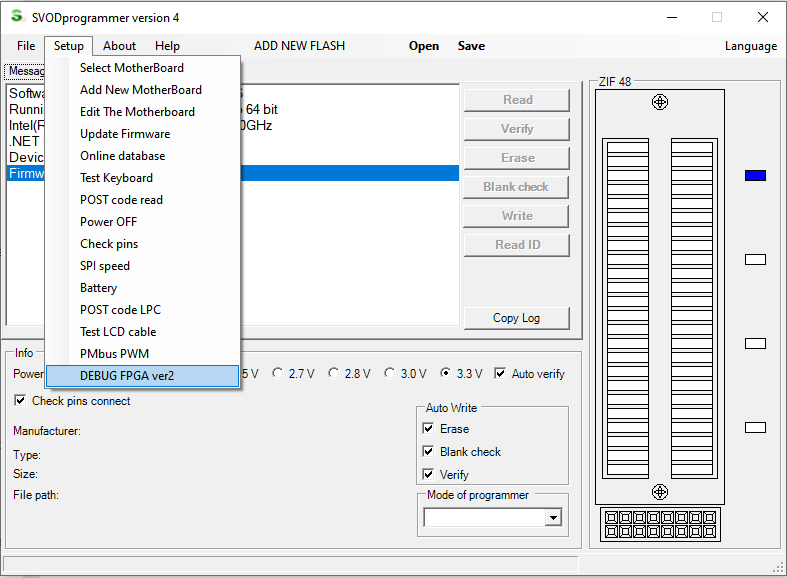
for work with new debug fpga ver2 need select menu - setup - debug fpga ver2.
- image_1.png (45.37 КБ) 2633 просмотра
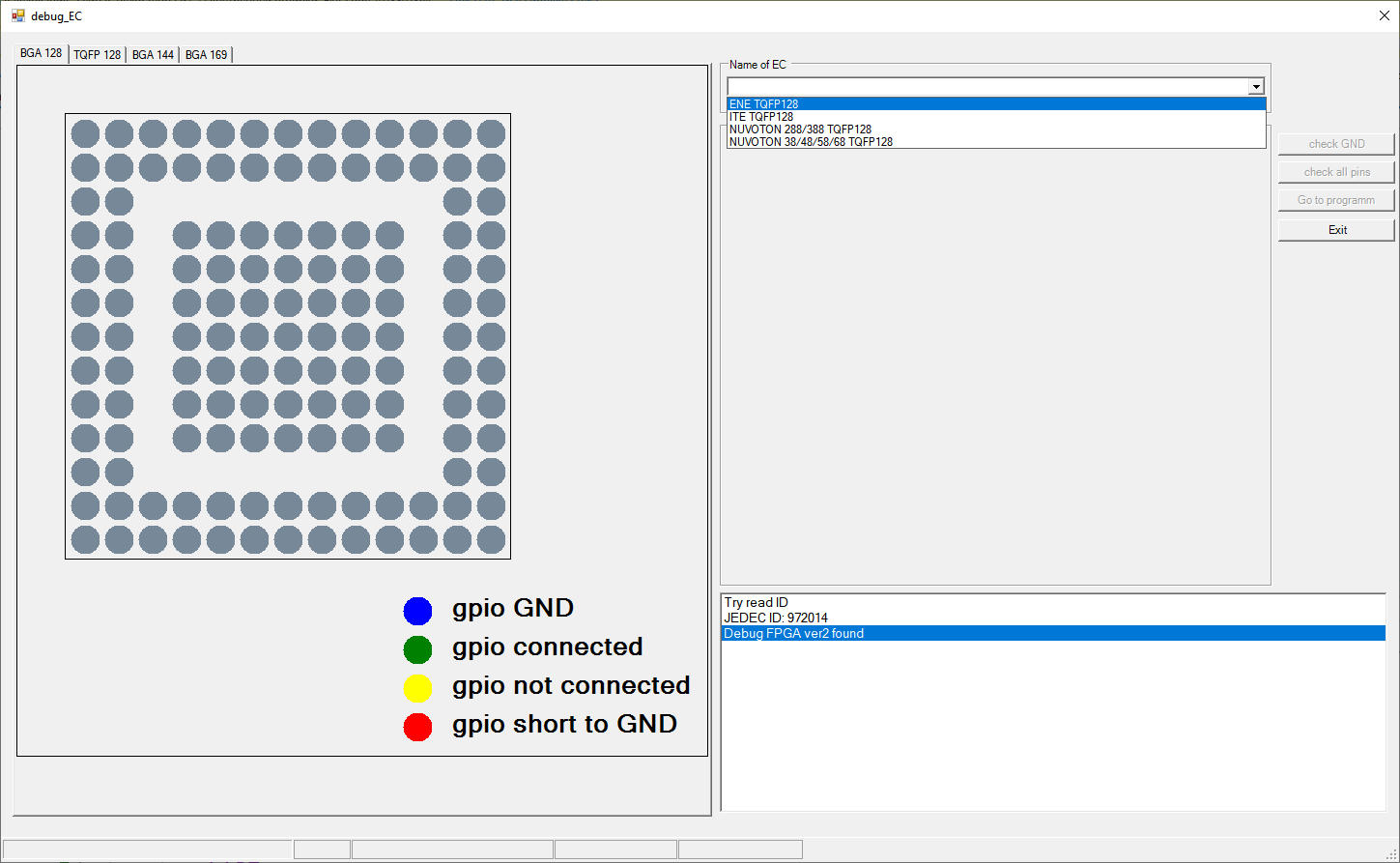
next step select name of EC
- image_4.png (30.39 КБ) 2633 просмотра
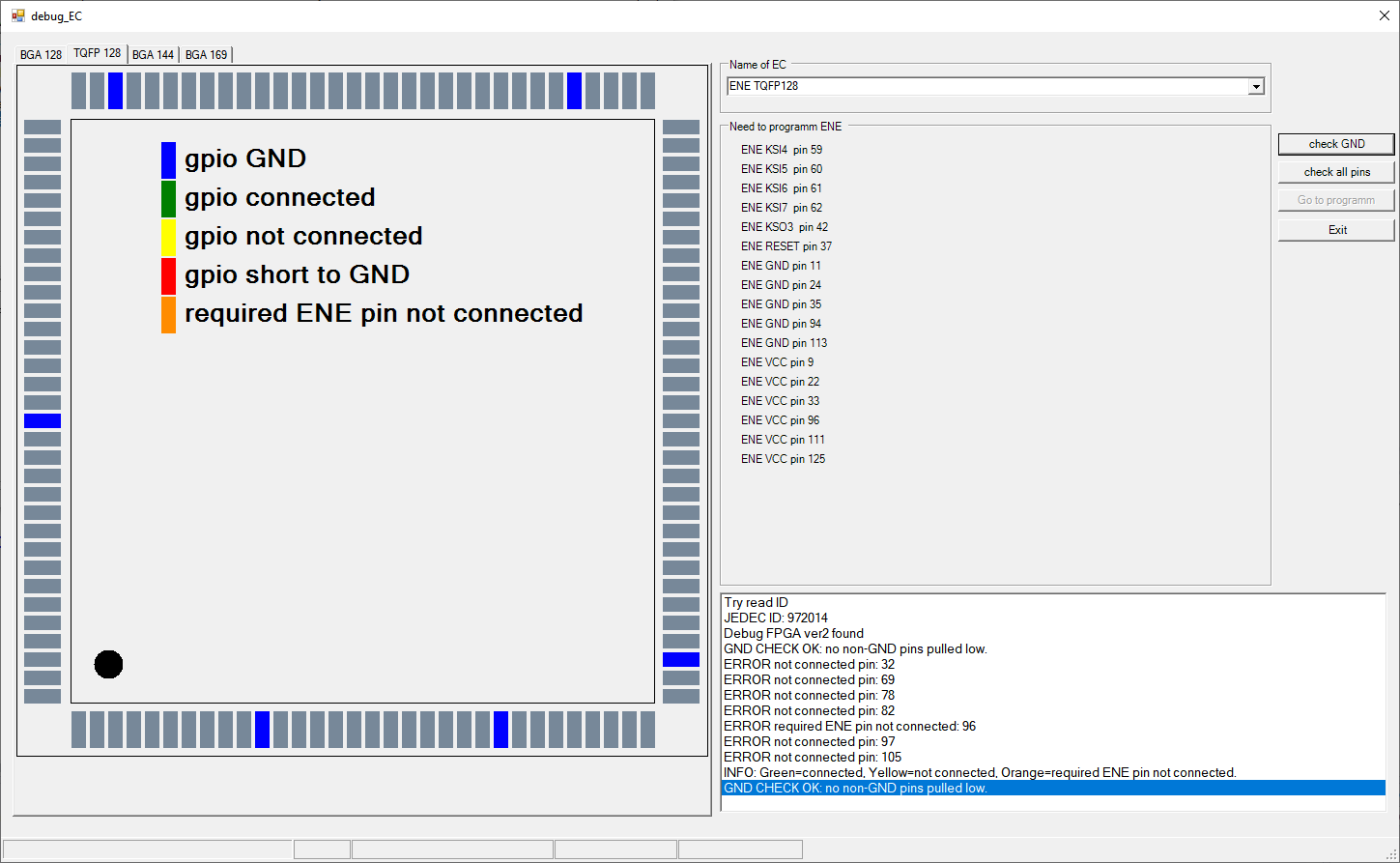
button "check GND" activate, and can check short any pins to gnd.
- image_2.png (46.29 КБ) 2632 просмотра
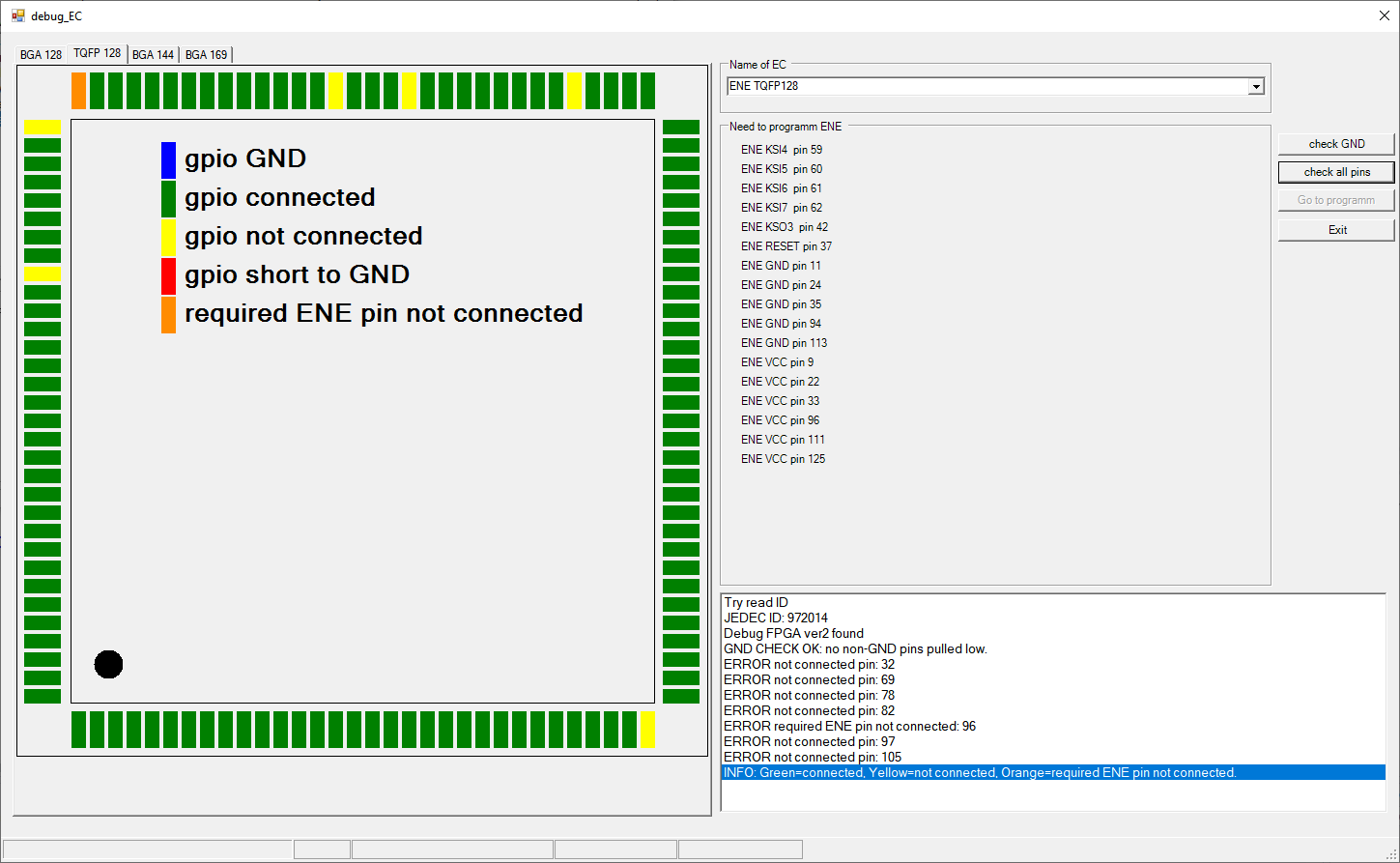
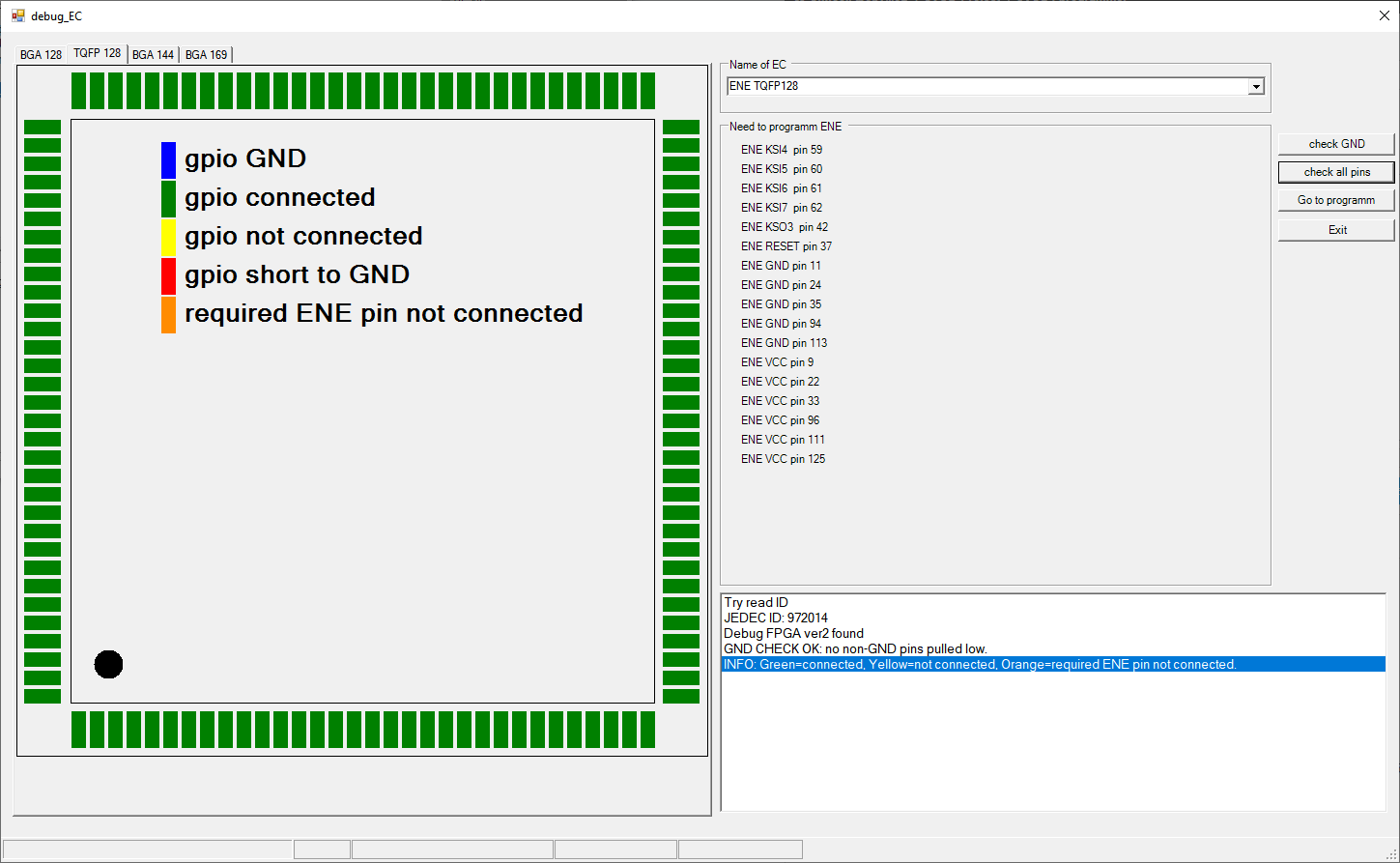
next step, button check all pins, and you can see connect pins or not.
- image_3.png (45.05 КБ) 2630 просмотров
INFO: Green=connected, Yellow=not connected, Orange=required ENE pin not connected.
now 96 pin not connect but need for programm, and button "go to programm " not work.
clear 96 pin and try check
- image_5.png (37.38 КБ) 2628 просмотров
now all pins green(connected) and button "go to programm" active.
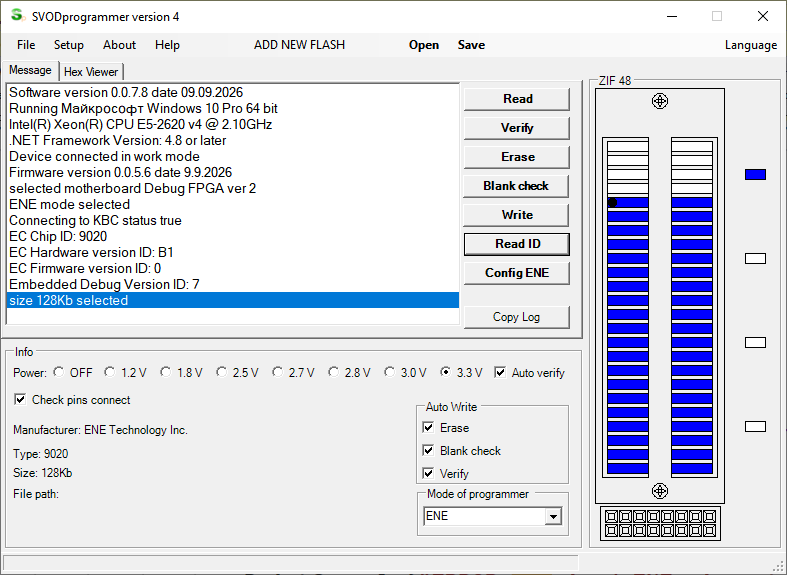
- image_6.png (38.93 КБ) 2626 просмотров
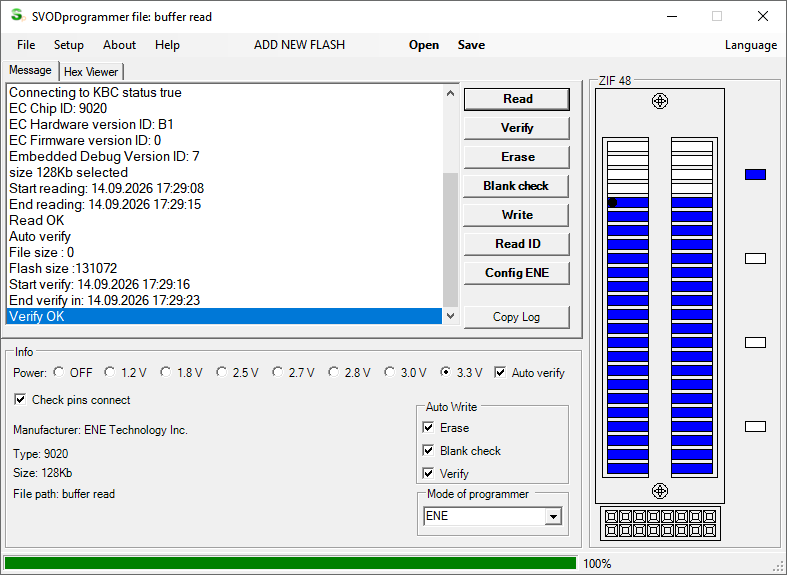
- image_7.png (36.19 КБ) 2625 просмотров